Set up Attribute Suggestion List
Introduction
Attributes are used in many different places in our application. Either in the facet module to create filter conditions or to group elements or during the creation of Attribute Sets. While it is not strictly necessary to configure an attribute suggestion list, we highly suggest it for users of the Facet and Attribute Set modules.
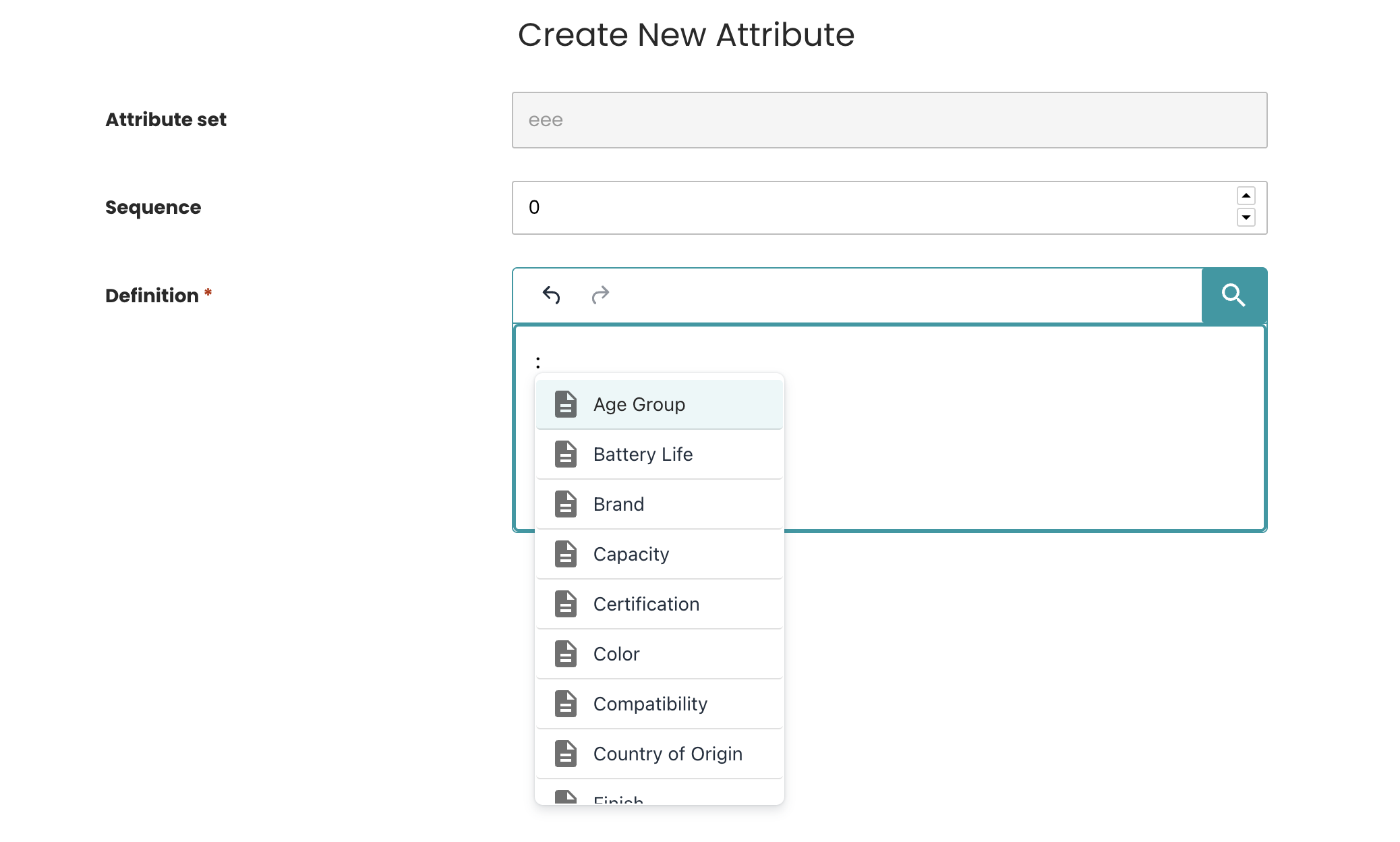
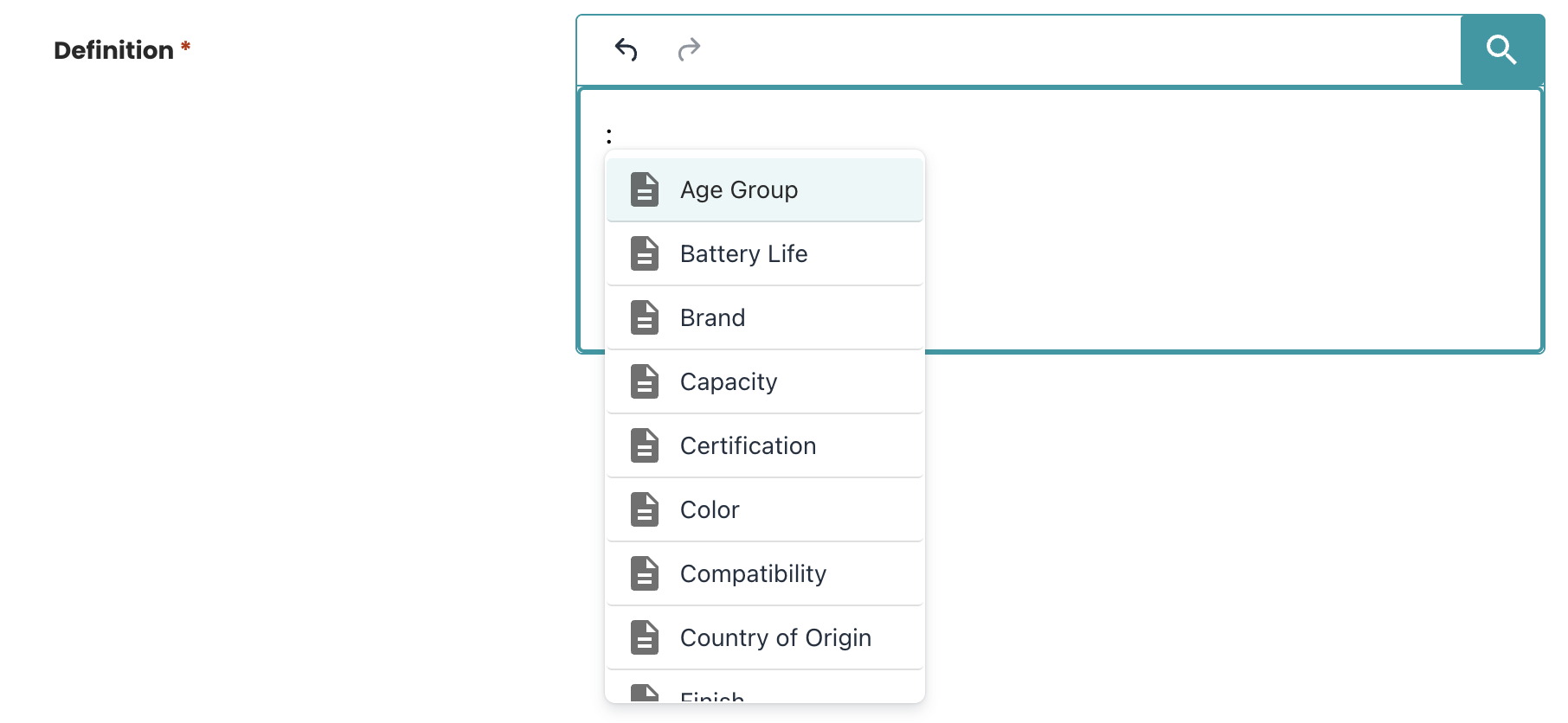
Once you have configured the attribute suggestion list, if configured correctly you can see the result in any Definition like the following screenshot.
Prerequisites
- PubServer: 4.7.0.x
- Data Management: 4.7.0.x
- Knowledge requirements: Basic understanding of configuring PubServer using the Eclipse ISON plugin.
- Usage of the Facet module or Attribute set module
Step-by-Step: Configure the Suggestion List
1. Implement and register a Data Provider for the Suggestion List
The attribute suggestion list is implemented based on the Data Provider concept. This means you need to implement a Data Provider that returns a list of suggestion items.
The expected return type is: Map<String, String>
After implementing your provider, register it in the DataProviderManager using the ISON plugin.
Result Data Provider registration after creation using GUI:
<?xml version="1.0" encoding="UTF-8" standalone="yes"?>
<con:PluginConfig xmlns:con="com.priint.pubserver.config.manager/20130620">
<con:name>SampleAutoComplete.xml</con:name>
<con:type>DataProvider</con:type>
<con:description>SampleAutoComplete.xml</con:description>
<con:custom>
<dp:dataProvider xmlns:dp="com.priint.pubserver.dataprovider/20140213"
xmlns:pl="com.priint.pubserver.plugin/20140213"
xmlns:tags="com.priint.pubserver.tagging/20161102"
entityClass="Bucket"
identifier="SampleAutoComplete"
label="SampleAutoComplete for attribute set">
<tags:tags>
<tags:tag/>
</tags:tags>
<dp:dataProviderGetter dataformat="" description="">
<dp:queryMethod>
<pl:pluginMappedName>com.priint.sample.plugins.DataManagementAutoCompleteProvider</pl:pluginMappedName>
<pl:methodName>getAutoCompleteSampleData</pl:methodName>
<pl:returnType>java.util.Map</pl:returnType>
<pl:returnTypeArguments>java.lang.String</pl:returnTypeArguments>
<pl:returnTypeArguments>java.lang.String</pl:returnTypeArguments>
<pl:parameters defaultValue="<DataProvider.Parameters>"
description="list of additional parameters"
name="parameters"
type="java.util.Map"/>
</dp:queryMethod>
<dp:dataMappingMethod>
<pl:pluginMappedName>com.priint.sample.plugins.DataManagementAutoCompleteProvider</pl:pluginMappedName>
<pl:methodName>passMapOfStringString</pl:methodName>
<pl:returnType>java.util.Map</pl:returnType>
<pl:returnTypeArguments>java.lang.String</pl:returnTypeArguments>
<pl:returnTypeArguments>java.lang.String</pl:returnTypeArguments>
<pl:parameters defaultValue="<Entity.ResultList>"
description="output of previous function in the processing chain"
name="inputList"
type="java.util.Map"/>
</dp:dataMappingMethod>
</dp:dataProviderGetter>
<dp:dataProviderSetter dataformat="" description="">
<dp:queryMethod>
<pl:pluginMappedName/>
<pl:methodName/>
</dp:queryMethod>
<dp:dataMappingMethod>
<pl:pluginMappedName/>
<pl:methodName/>
</dp:dataMappingMethod>
</dp:dataProviderSetter>
</dp:dataProvider>
</con:custom>
<con:dependencies/>
<con:instances/>
</con:PluginConfig>
2. Configure the Data Provider for the Data Management features
After a data provider is created and registered, there are two options to enable it for the Data Management attribute suggestion list features.
1. Use a Static Identifier: AutoComplete
Assigning the identifier AutoComplete to the data provider enables it automatically for all suggestion list features.
The identifier can be defined or updated in the same GUI used in step 1:
<dp:dataProvider xmlns:dp="com.priint.pubserver.dataprovider/20140213"
                         xmlns:pl="com.priint.pubserver.plugin/20140213"
                         xmlns:tags="com.priint.pubserver.tagging/20161102"
                         entityClass="Bucket"
                         identifier="SampleAutoComplete" <!-- update the id here -->
                         label="SampleAutoComplete for attribute set">
    ...
</dp:dataProvider>
For example, in this case the
SampleAutoCompleteshould be replaced withAutoComplete
Note: To apply different data providers for different suggestion list features (group, filter, attribute), the following static identifiers can be used:
FilterAutoComplete: for the suggestion list in filter creation/modificationGroupAutoComplete: for the suggestion list in group creation/modificationAttributeAutoComplete: for the suggestion list in attribute creation/modification
2. Configure the Data Provider in the Data Management Configuration
If the static identifier approach is not preferred, the data provider can be enabled by configuring it in the Data Management configuration file.
- The mapped name of the
ISONfolder is:com.priint.datamanagement.config.DataManagementPlugin.
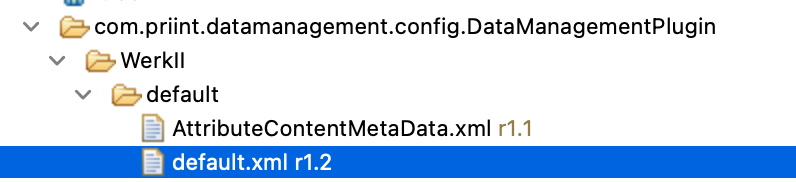
Example configuration:
<?xml version="1.0" encoding="UTF-8" standalone="yes"?>
<con:PluginConfig xmlns:con="com.priint.pubserver.config.manager/20130620">
    <con:name>default.xml</con:name>
    <con:type>DataManagementConfig</con:type>
    <con:dependencies/>
    <con:custom>
        <dataManagement version="1.0">
            <dataProviders>
                <dataProvider id="SampleAutoComplete" entityId=""> <!-- replace with your provider ID -->
                </dataProvider>
            </dataProviders>
        </dataManagement>
    </con:custom>
</con:PluginConfig>
Note: Replace
"SampleAutoComplete"with your actual Data Provider ID.
Explanation:
<dataManagement>This is the parent element that encapsulates the configuration for Data management.<dataProviders>: The list of data provider.<dataProvider>: Defines a data provider withidandentityId<id>: Identifier of data provider which is configured in the data provider xml file.entityId: Identifier of the entity that should use this data provider. Leave empty to apply the same data provider to all suggestion lists (group, filter, and attribute). To specify a data provider for a particular suggestion list, use one of the following entity identifiers:Facet_Filter: for the suggestion list in filter creation/modificationFacet_Group: for the suggestion list in group creation/modificationattribute: for the suggestion list in attribute creation/modification
Facet_Filter,Facet_Group, andattributerepresent the Bucket Entity Identifiers used to define the structure of the Facet and Attribute Set features.
Loading Priority
The system loads data providers in the following order:
- Data providers defined in the Data Management configuration file
- Data providers using the static identifiers
The first matching provider is selected to supply data for the suggestion list.
Final Result
Once completed, open the Data Management application, the user will be able to choose a value from the configured suggestion list by pressing the colon.
The example chosen shows the "Create New Attribute" in the Attribute Set module, however the attribute suggestion mechanism will work the same in all other sections of the facet module.
- Press ":" colon and start to type letters of searched word.
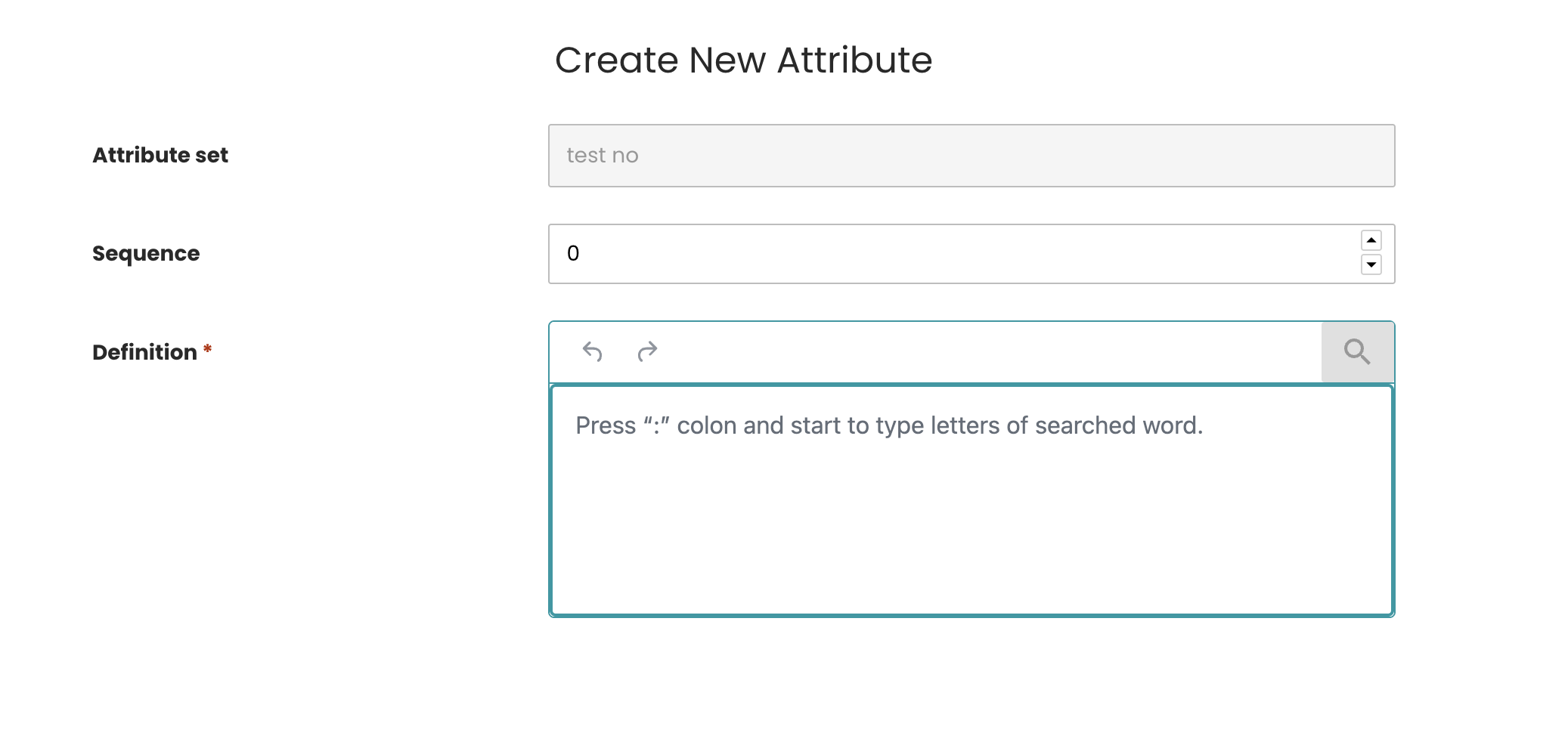
- Select any attribute from the list returned by your dataprovider.