Data Management
Getting Started
Ensure that you understand what the Data Management application is by reading the general introduction and user guide. What is the Data Management?
Configuring the Data Management
DM includes three main modules: Facet, Attribute Set, and Content. Each module works on its own and appears in the application only when the entity model matches the expected structure and the needed plugins and permissions are in place.
Facet Module
Facets are used to build dynamic assortments and to structure data with filters and groups. You can model your structure by dragging filters and groups into a tree.
Import your data
Before you can start using the Facet model, you have to normalise your data and flatten your product data. We describe the schema that your data needs to follow. If your schema differs from the one we are suggesting, we can't ensure that the Data Management will work correctly.
Activate the Facet module
Connect your data to the server by configuring the necessary connector configurations and entity models based on our facet-core installation package.
Setup attribute suggestions
Help users create filters and groups more easily by suggesting them with attributes from your own data provider.
Attribute Set Module
Help users create lists of attributes that can be used to group required attributes for a specific product group or a specific level in a product hierarchy. Attribute sets give allow you to manage these lists and reuse them where needed, for example in the publishing server.
Activate the Attribute Set module
Create necessary entities and add optional configuration files for all use-cases.
Setup attribute suggestions
Help users create attributes more easily by suggesting them with attributes from your own data provider.
Configure Default ContentMetadata
Find out how the Data Management automatically creates default ContentMetaData upon attribute creation.
Content Module
The Content module lets you view your data in a simple way and check your data mapping in the entity model. In DM we add one more layer by allowing you to manage Content in MuaDB and PublishingHubDB directly in the web interface. If your project depends on editorial content that cannot be mapped from the source, storing it in the publishing server makes sense. DM gives users an easy way to maintain it.
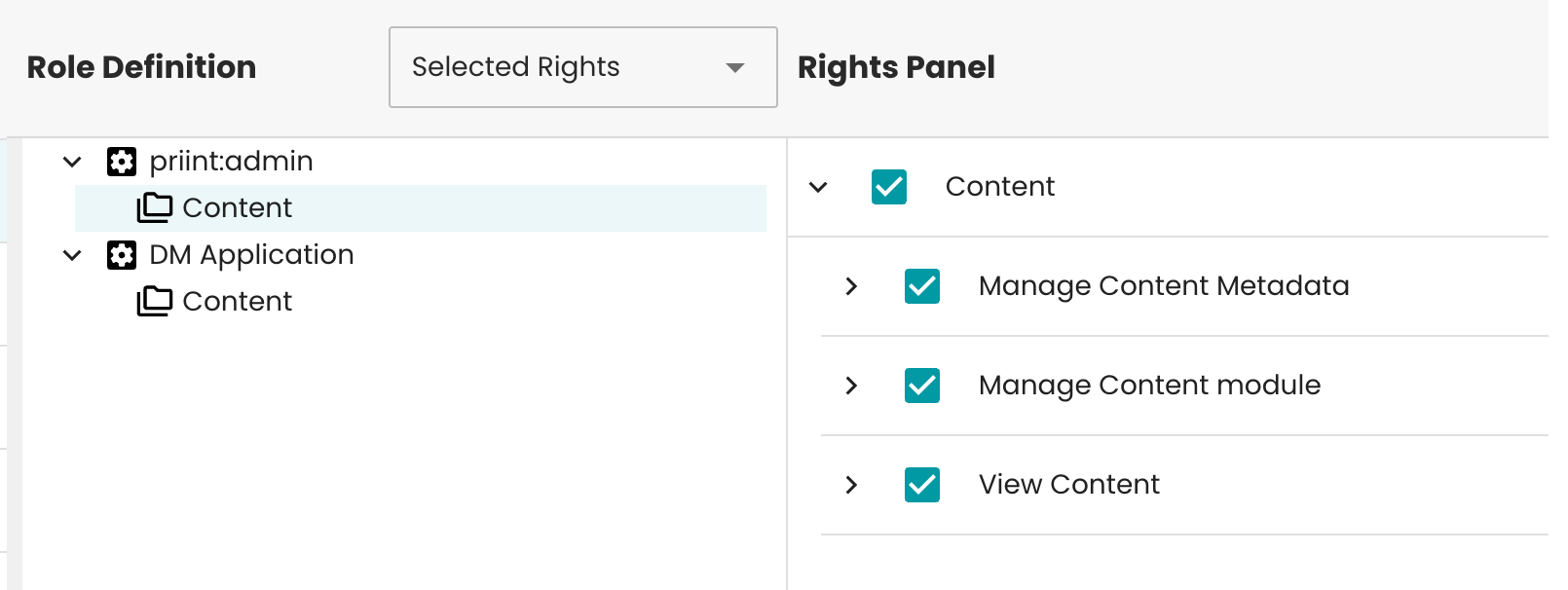
The Content module doesn't need any additional configuration and shares the rights that are already established within the Admin Content module. These rights when given will let users manage Content in all of our applications.
Why no processes in the Data Management?
You might ask why the Data Management does not include priint:bpm processes. The reason is simple. These processes depend on a tight link to the backend and require project specific Java plugins on our application server. This makes each process specific to one project and hard to support in a shared platform.
Data Management is for content creation. It is an additional application that focuses on efficient editing and a high quality user experience for power users. To keep this environment stable, we avoid custom processes and instead bring the best solutions for common use cases into the standard. This gives all projects a predictable setup without custom code.
The admin application is separate and always installed. It comes with its own content and is used by administrators to check data integration, validate Content, and run targeted processes. It can execute processes on the data, which works for small tasks or fully custom flows, but it is not designed for large scale content creation or smooth editing flows.
If you see a feature that should move into the standard, please propose it by creating a short support ticket.