Access Rights
Rights Overview
Rights control what you can do in each module. Every module has its own set of rights that determine whether you can only view information, or also manage it (create, edit, or delete).
- If you do not have access to the Facet module but still have rights in other modules, the sidebar will remain visible so you can continue working in the areas you are allowed to use.
- Rights are assigned by your admin and may vary depending on your role.
Assigning Roles and Rights
- The admin creates roles and assigns predefined rights to your account. These configurations are managed and controlled from the Admin application, ensuring that access levels for each module, such as Facet, Attribute Sets, or Content are properly defined and maintained.
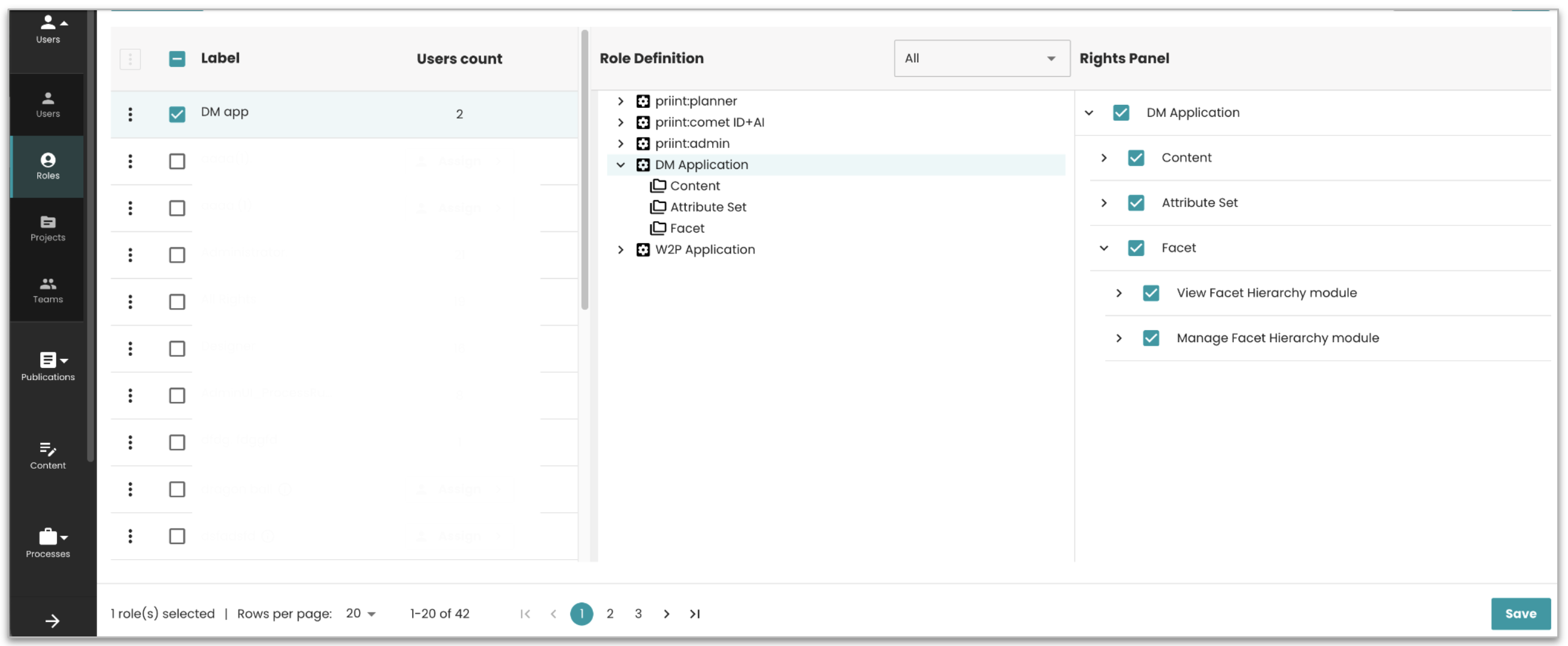
- Rights can be granted or revoked at any time.
- Once rights are updated, when you log in with that role, you will only see and use modules allowed by your role.
- If no rights are assigned for viewing modules, you will not see the landing page and will instead receive an Access denied message.
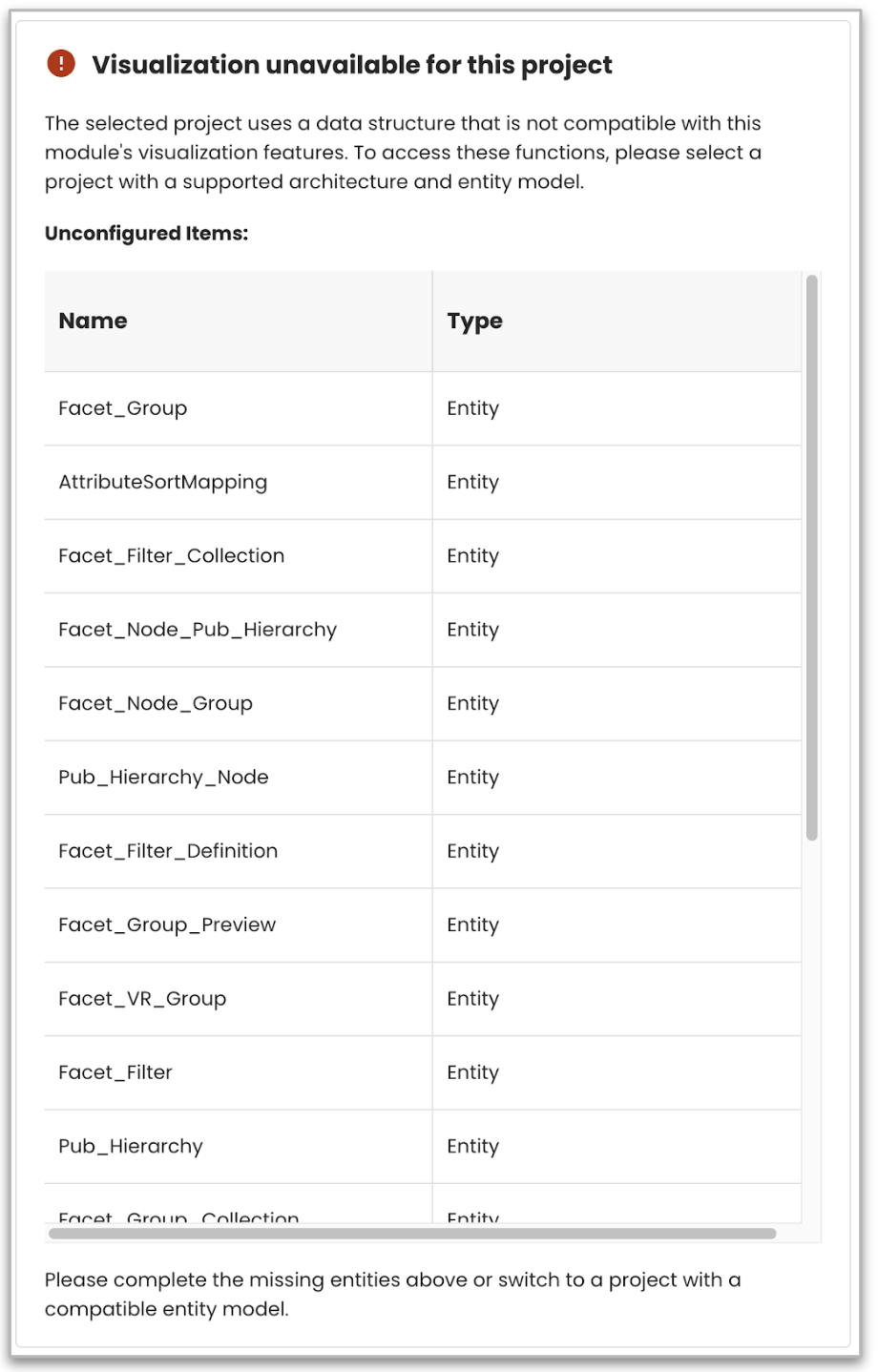
- If the DM service is enabled and your admin has assigned you access rights to the Facet module, the system automatically performs a Facet Core validation after you log in. This validation checks for any missing entities or Facet Core plugin. If issues are found, a validation screen appears showing what is missing so you can review and resolve it before continuing.
Global Rules and Restrictions
-
Filters, Groups, Classifications can only be deleted if not assigned to a hierarchy.
-
For better performance, the system first loads the table structure and then fills in the article counts in the background. This allows you to continue working without delay.
-
Article counting for Hierarchies, Filters, and Groups is processed in small batches (up to five requests at a time). Each counting process is limited to 60 seconds. If this limit is reached, the system returns the most recent available value, displayed as an approximate count such as “1,000+”.