priint:suite 4.7 - initial release
Neowise Version 2025/2 (4.7) Release
The version can be downloaded from:
Windows: https://webftp.priint.com/#/priint_suite_4.7.0/ Linux: https://webftp.priint.com/#/priint_suite_4.7.0_Linux/
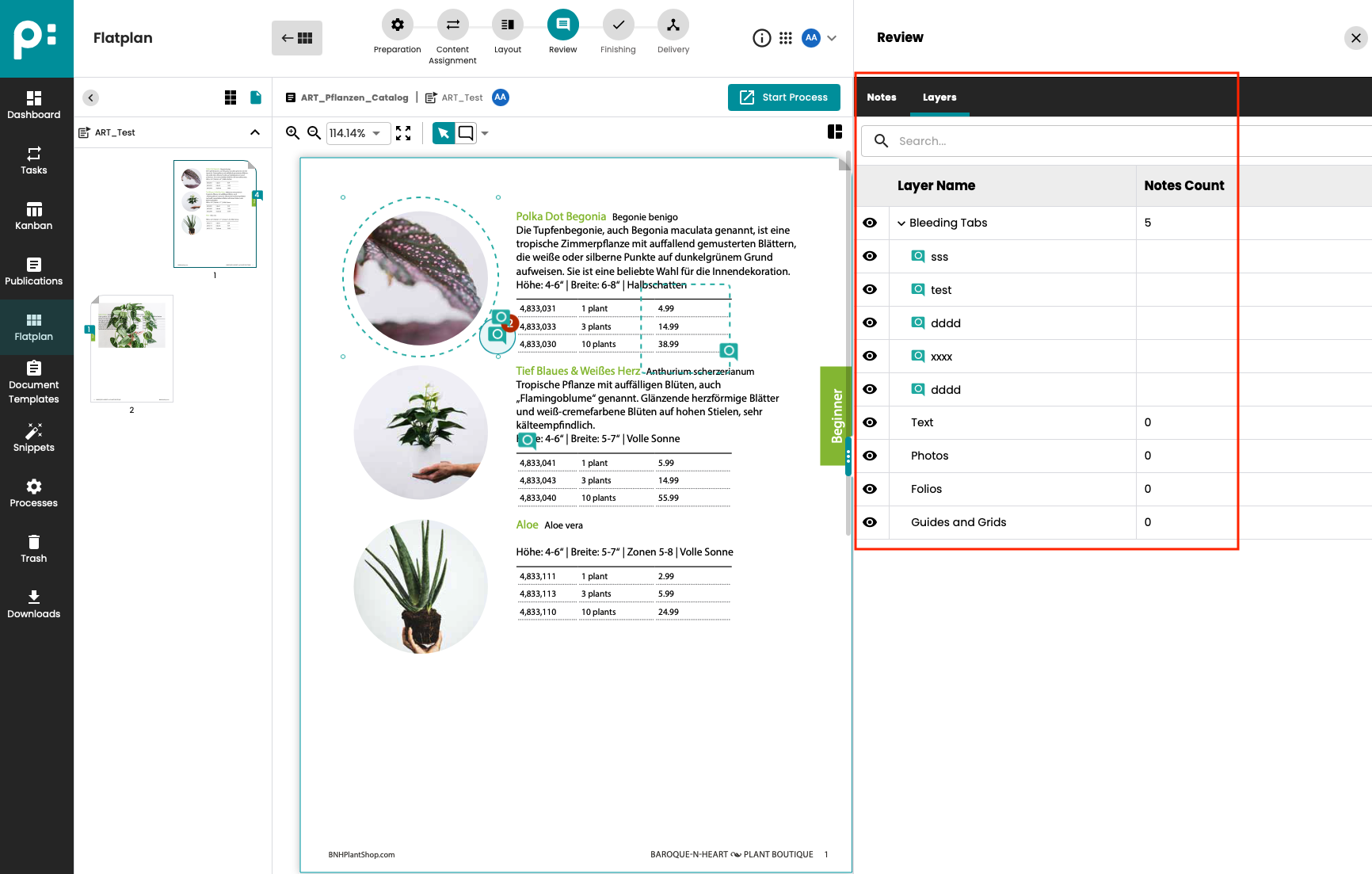
Flatplan: PDF previews / Layer display.
In the Flatplan Review stage, a PDF preview of the document pages is now displayed. The preview file is automatically created by Indesign or the PDF Renderer. The use of a PDF preview now allows us to display document layers. Layers can be activated and deactivated (hidden). Notes can be created on layers, which are displayed in the Layers panel.
Check-in/check-out in Neowise
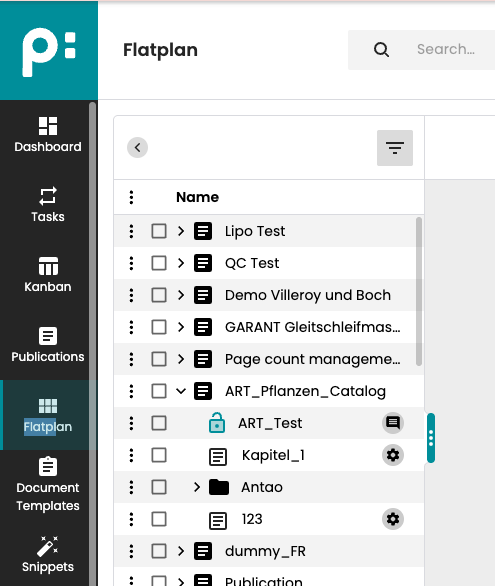
Previously, documents were only checked out by Comet. Starting with version 2025/2, documents opened in edit mode in the Neowise flatplan will also be checked out. If a document is checked out in the flatplan:
- The document cannot be opened in Comet.
- The document can be opened in edit mode by multiple users in the stage review (to add notes).
- The document cannot be opened in edit mode by other users in all other stages.
Annotation (parallel)
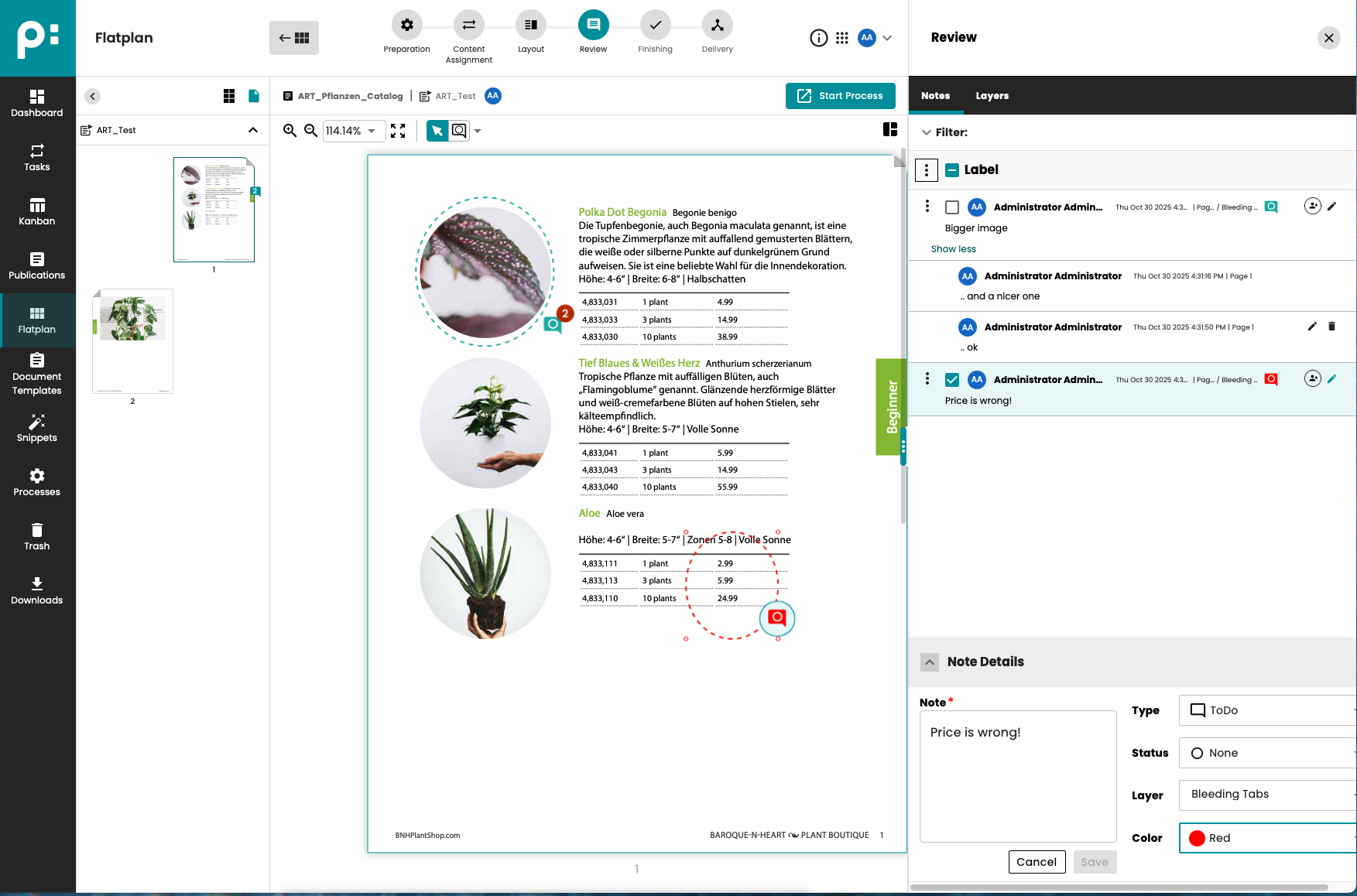
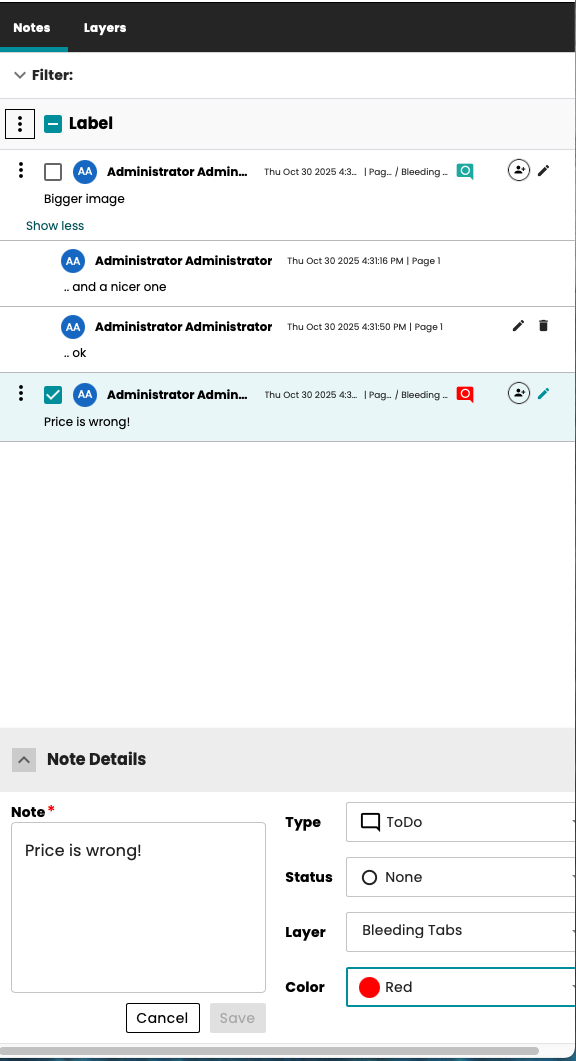
In version 2025/2, the note-taking feature in Stage Review has been completely redesigned. It is now possible for multiple users in Neowise to add notes to a document at the same time. To this end, the storage and synchronization of notes with Comet has been redesigned. In addition, the following features are available:
- Notes have various marking tools (frame, circle, arrow).
- Notes can be created on layers.
- Other users can reply to notes.
- Notes can be saved as drafts: in this status, they are not visible to other users.
- In the notes panel, notes can be filtered in a list.
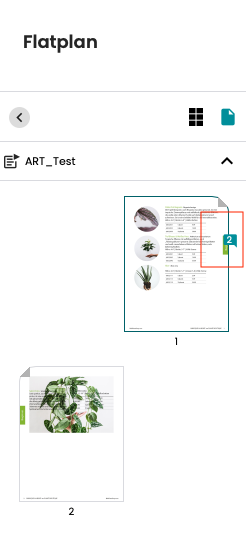
As before, notes can be displayed in Comet. Notes can also be created in Comet.
Session handling / SessionSDK
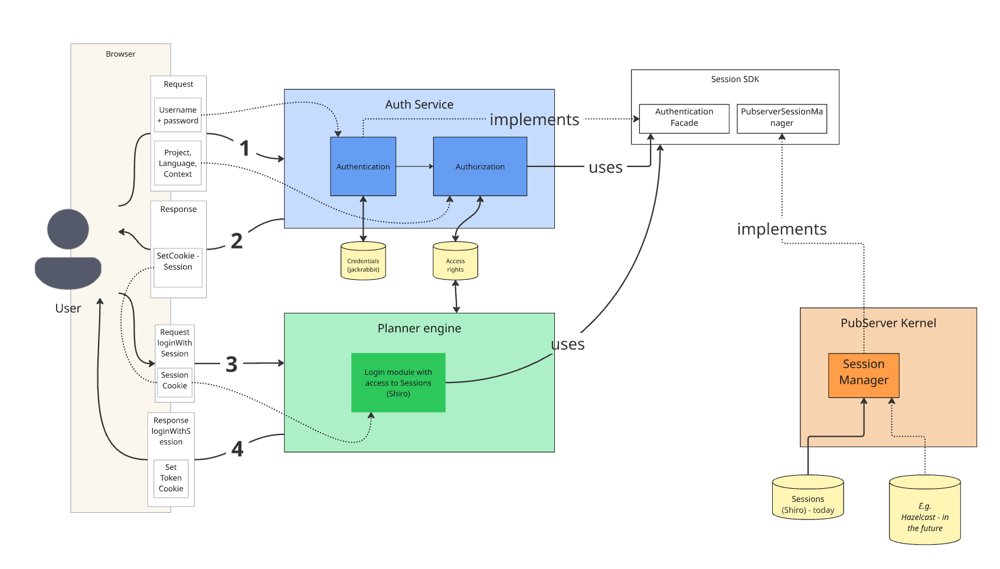
Session handling has been revised. Essentially, Shiro has been decoupled from the pubserver. Session objects are now accessed via the new SessionSDK. If session objects are used in Java plugins, they will need to be migrated. Please refer to the documentation for this release. New cookie handling now makes it easier to open multiple priint:suite apps in a browser at the same time. All open apps use the same cookie and thus the same session (only one concurrent user).
Application switcher
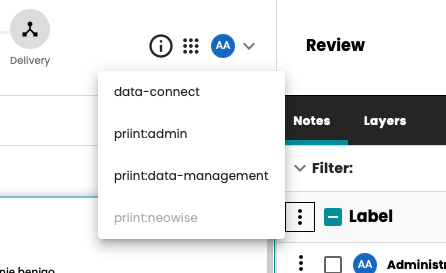
As a result of the changes in session handling, an application switcher has been implemented. A menu can now be used to open additional priint:suite applications in a new browser panel. No new login is required. The app is run using the same session.
UX Improvements
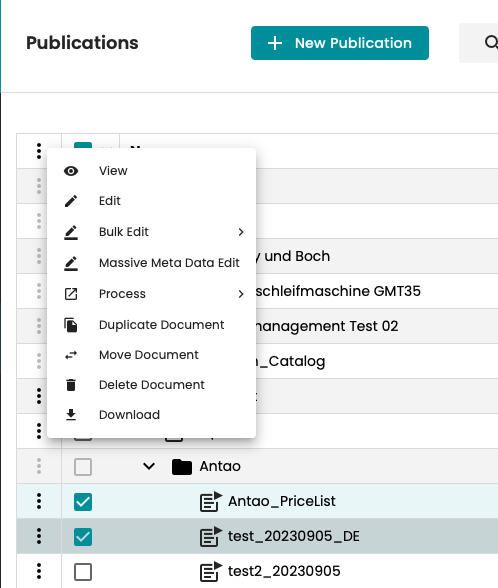
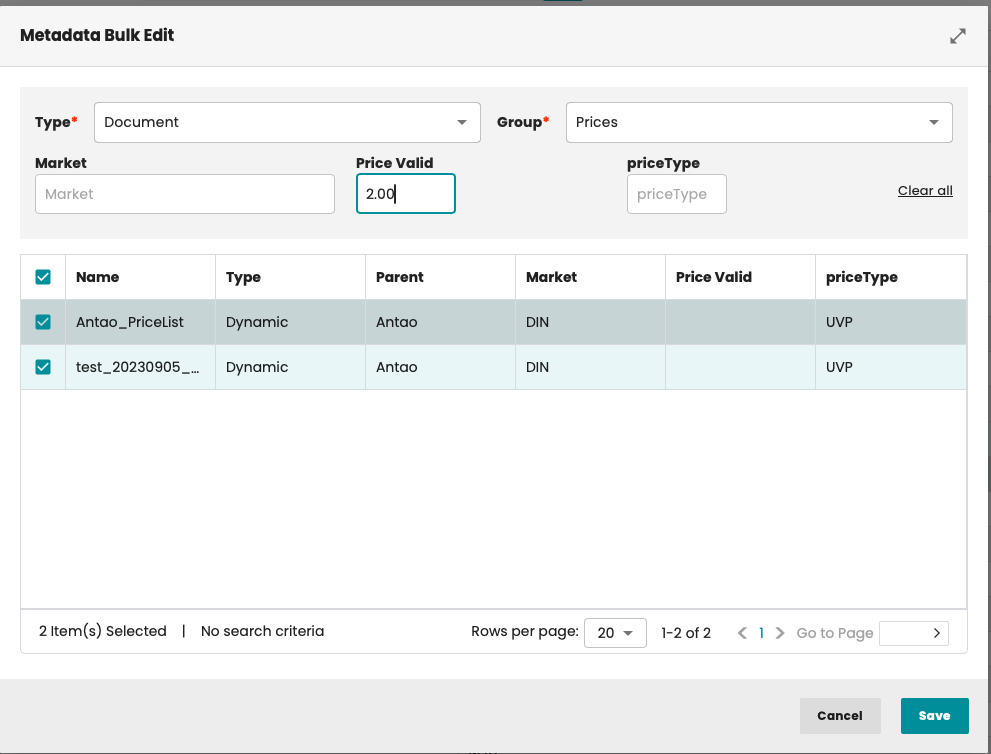
Display and change metadata for multiple selected publications/folders/documents.
Multiple publications/folders/documents can be selected. The metadata is displayed and can be changed to a new value for all selected objects.
Task List - Better user experience for routing to flatplan
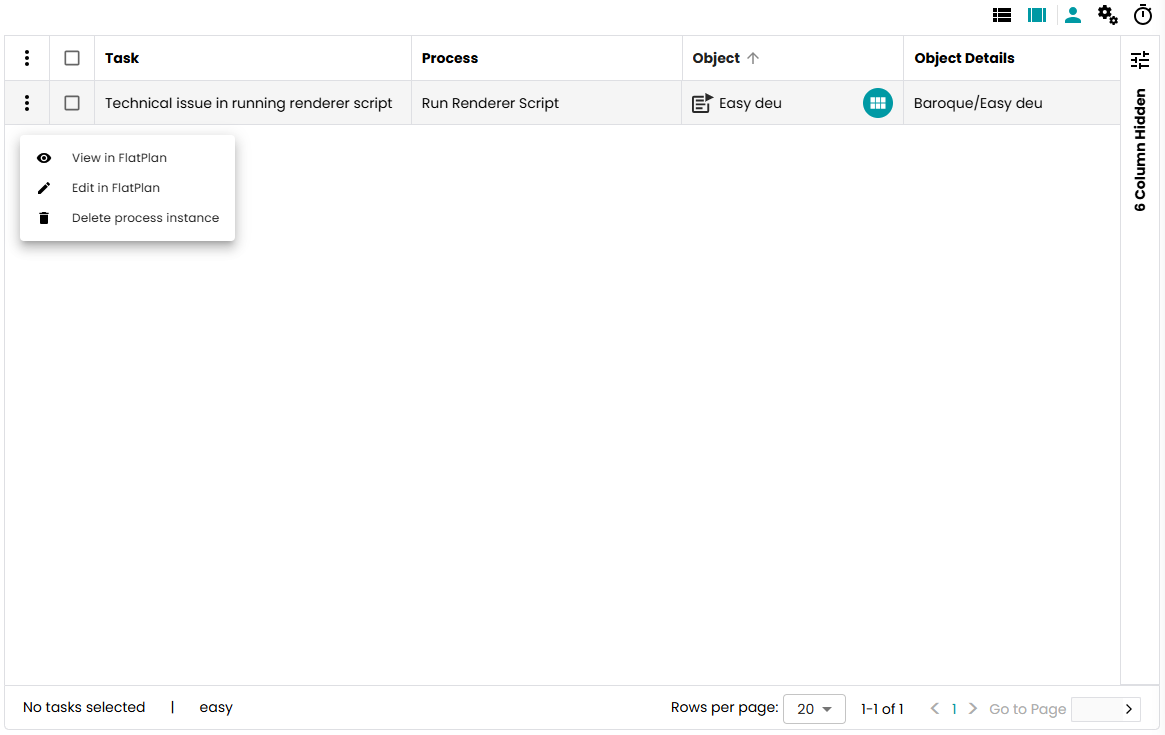
It is now easier to open a document in Flatplan directly from a user task.
To edit a document, the user can now click on the icon in the Object column in the task list.
There are also context menu items for viewing and editing documents in Flatplan.
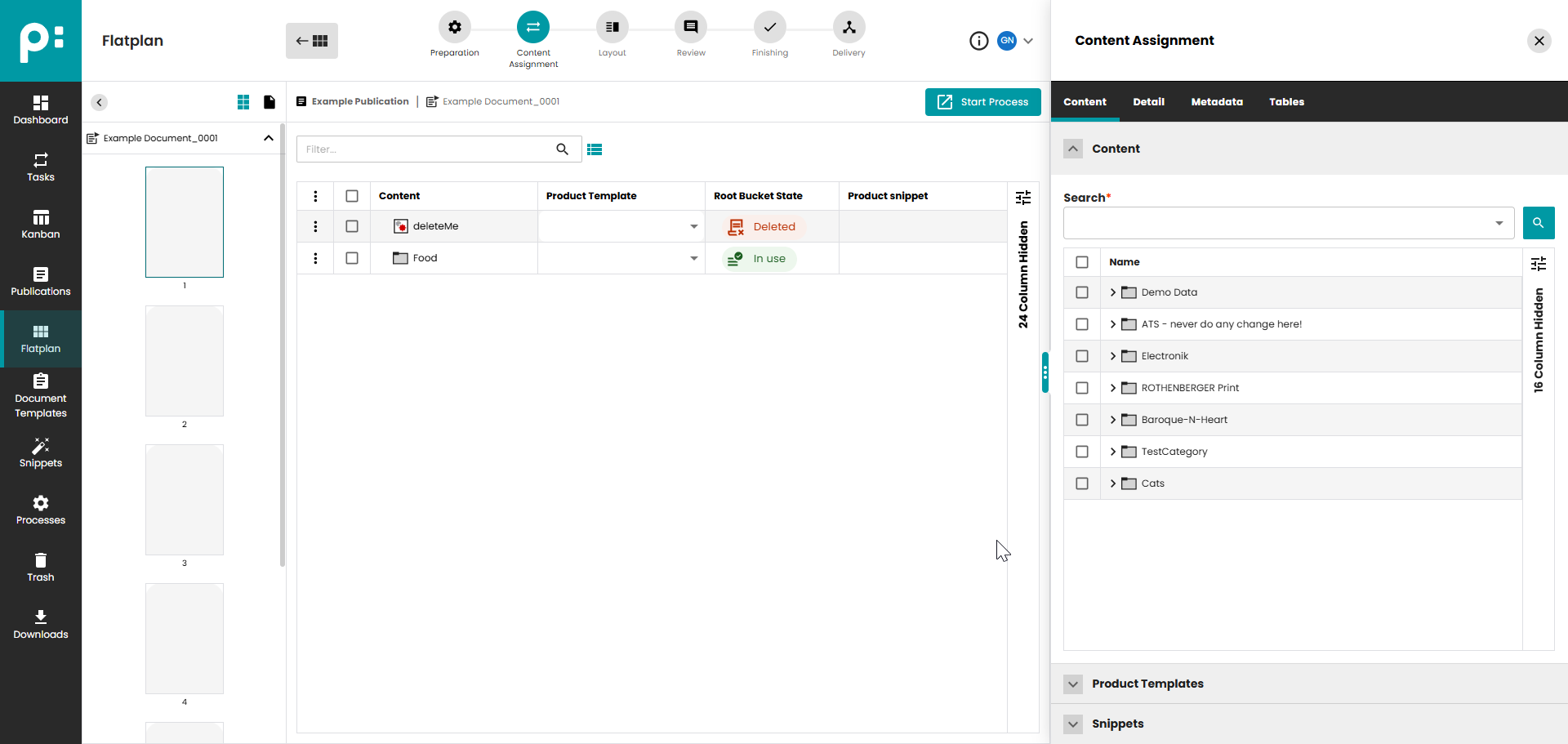
Check if planned Buckets are existing
A user can now see directly in the planning list whether a planned product still exists in the PIM system.
Publication Window: Filter by locked documents
An additional filter in the Publication window allows you to filter for locked documents.
Unlock document templates in Neowise
A document locked by InDesign is marked accordingly and can also be unlocked by a user.
Various improvements
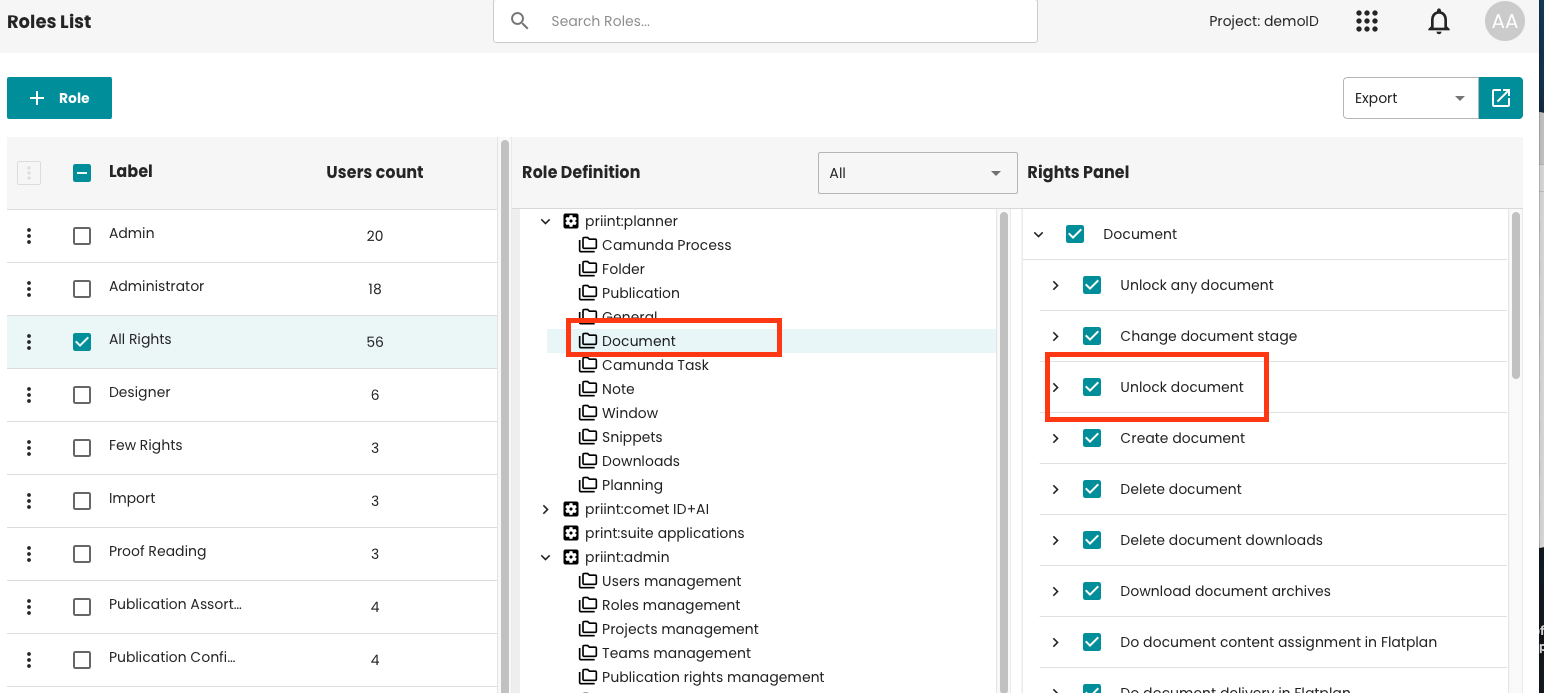
Right to unlock any document should be configurable
It is now possible to grant other users, except admin, the right to unlock documents.
AdminUI- Version 4.7 (2025/2) release
Dynamic Mapping Rules for OIDC Accounts
Authentication now supports dynamic mapping rules in the AuthService configuration. This allows OIDC-based users to be assigned roles, teams, and default project access automatically based on their account attributes (such as email domain) using dynamic mapping rules.
Example use case: Users with an email ending in @sample.com can now be automatically assigned the 'Admin' role, added to 'Team A', and granted access to 'Project B' without manual setup.
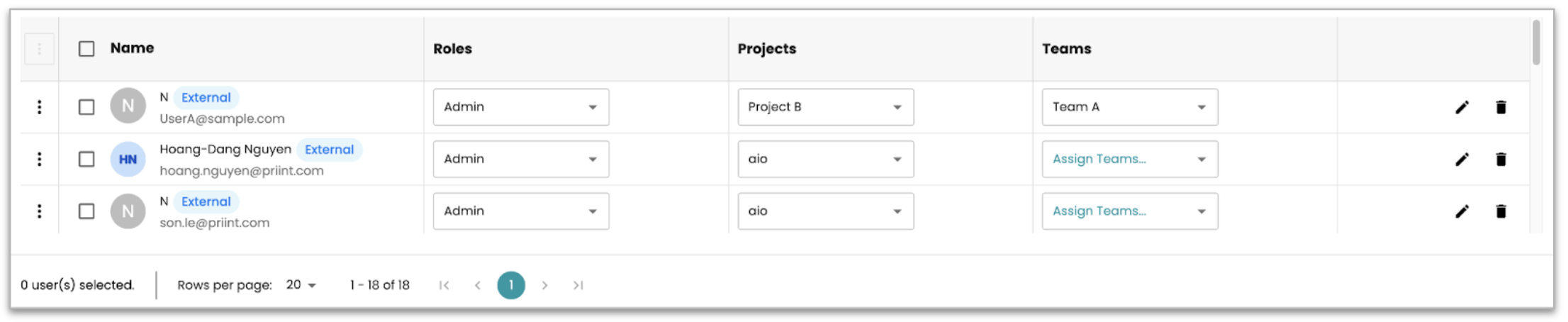
This enhancement increases flexibility for federated users and reduces configuration effort for admins while remaining fully compatible with existing static mapping setups.
Unified Application Switcher
A unified application switcher is now available across priint:suite (including Planner, Admin, Web2Publish, and Data Management). Because all applications now share the same session, you can switch between apps without having to login again. Each application opens directly in a new tab using your existing session.
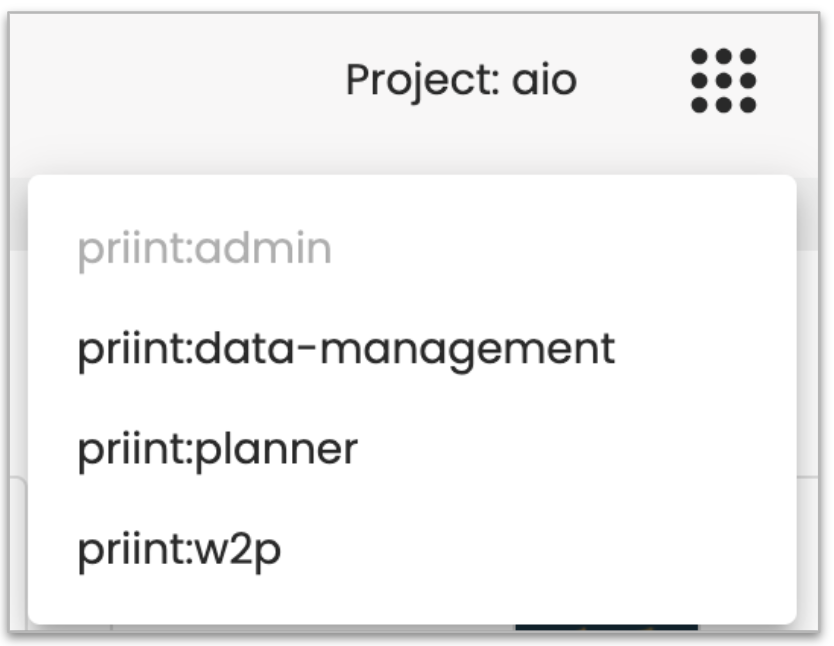
Some UI improvements
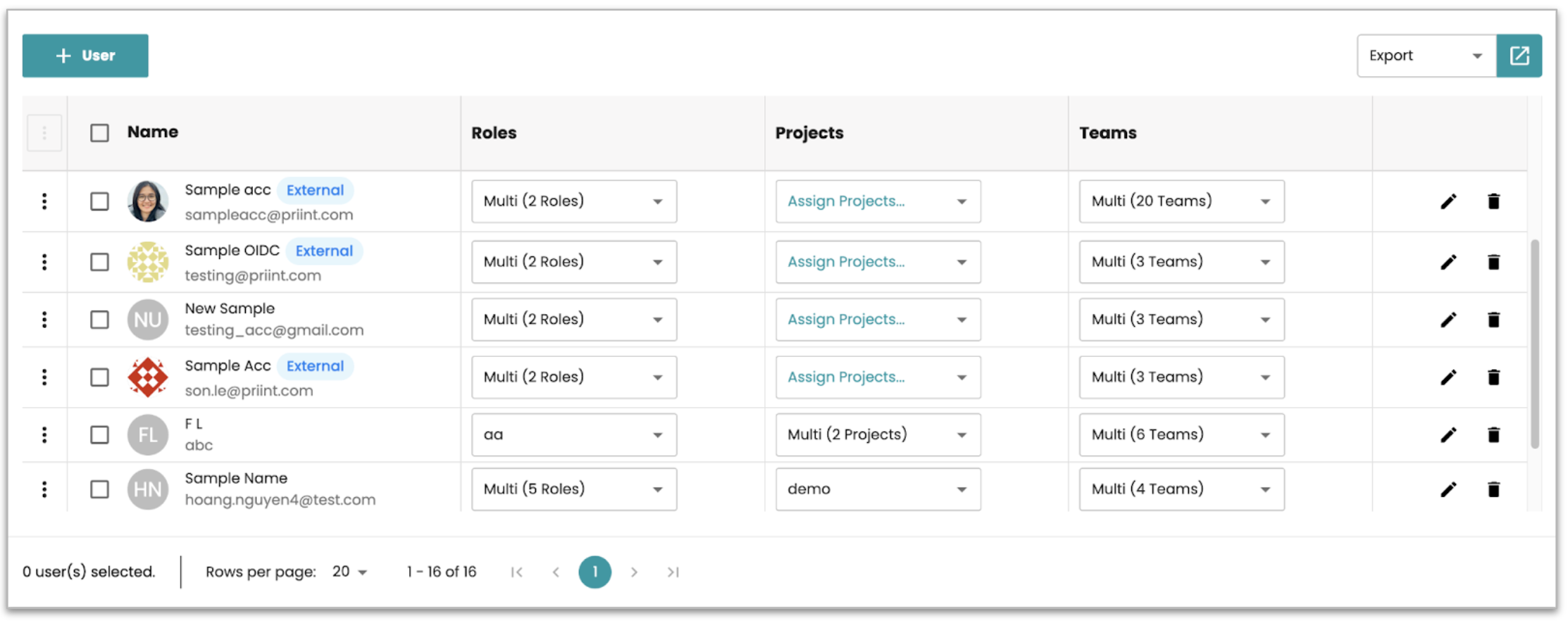
Implement UI highlight for tagging external users
AdminUI now clearly marks federated user accounts as external in both the User List and Sessions pages, improving identity transparency for admins.
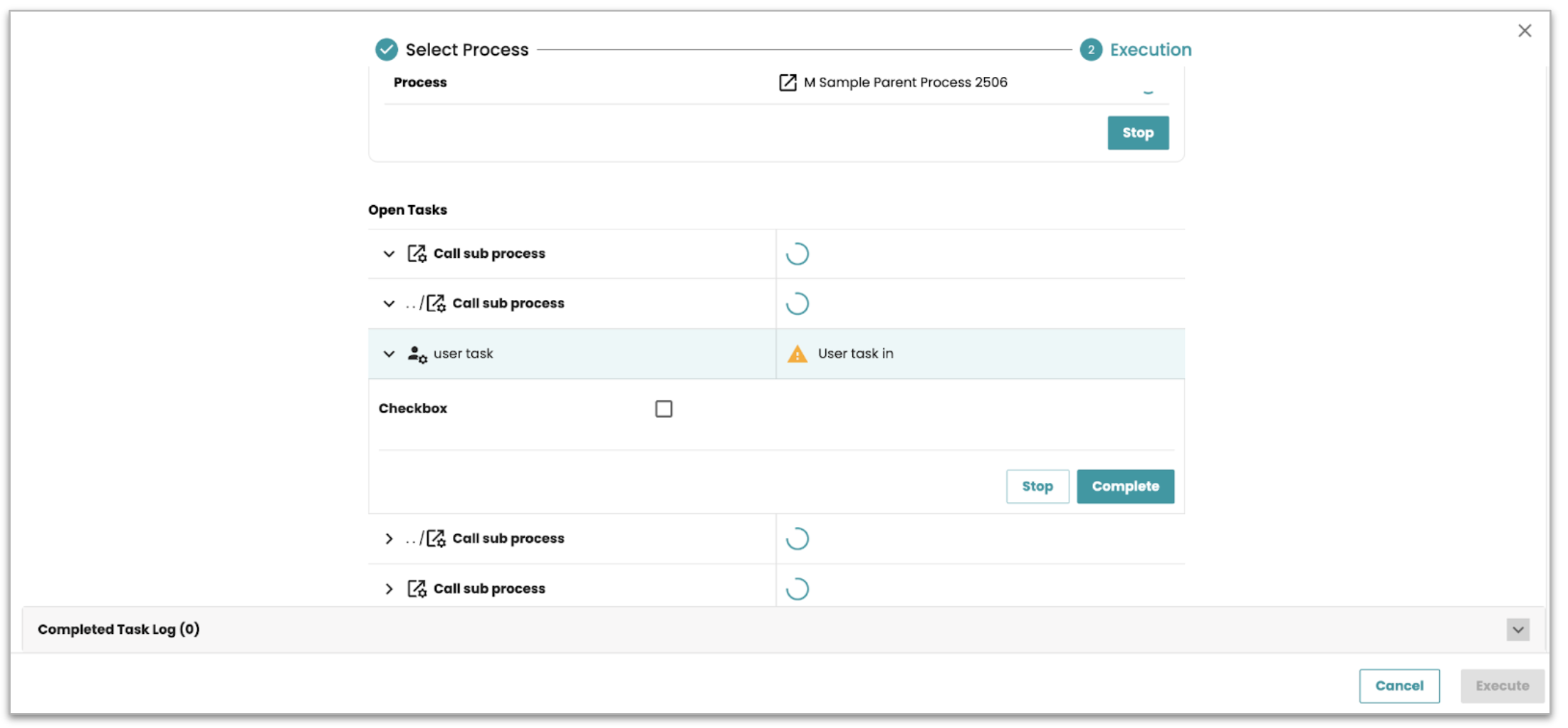
Process Execution UI Refresh
The Process Execution UI has been redesigned with a cleaner, more structured layout to improve workflow visibility and usability handling arising users tasks in sub-processes.
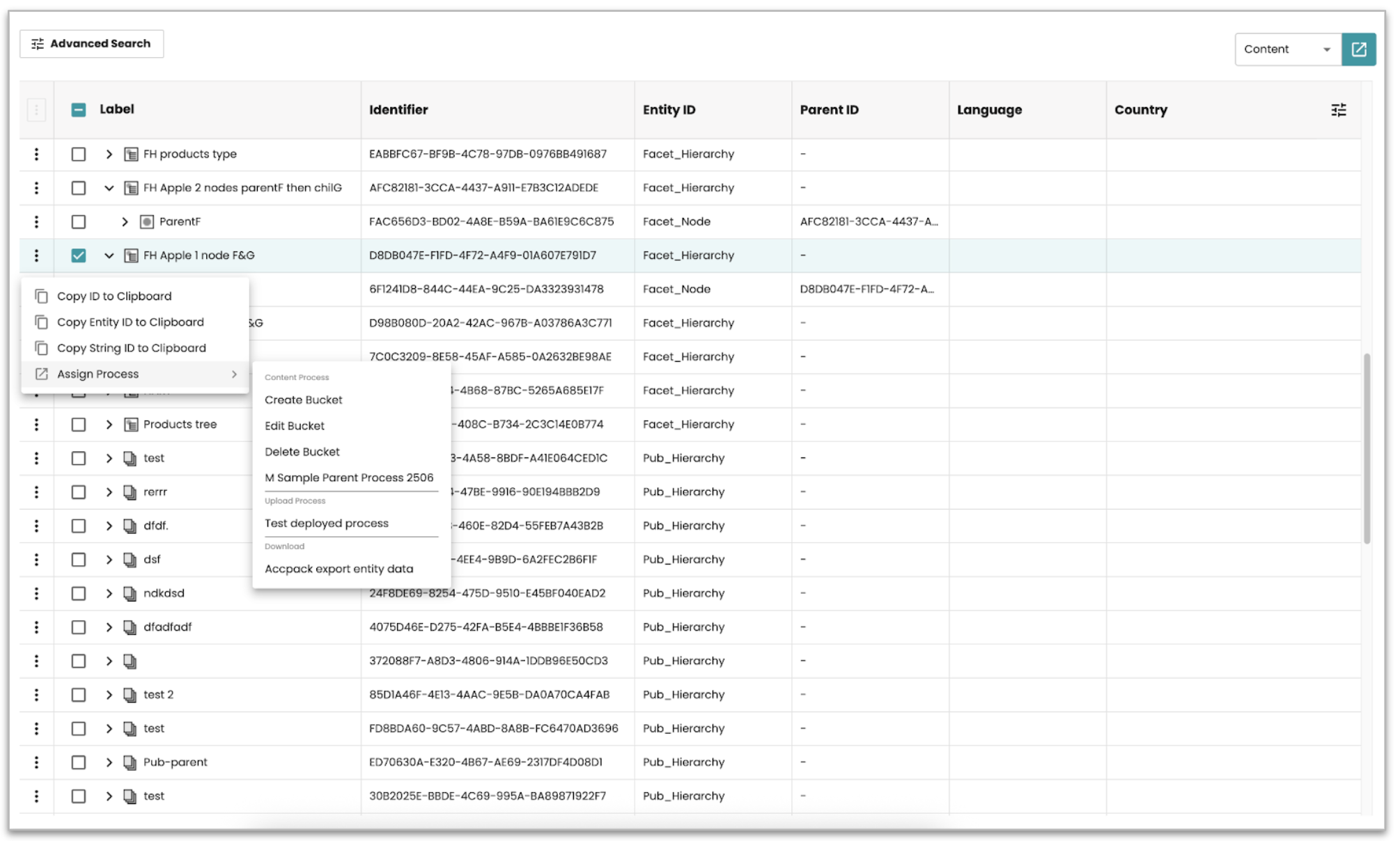
Content Module Performance & UX Improvements
The Content module includes several UI and rendering optimizations to improve response time and general interaction flow.
Technical Information & System visibility
Additional runtime details and monitoring are now shown, including rendering server instances status of connected applications.
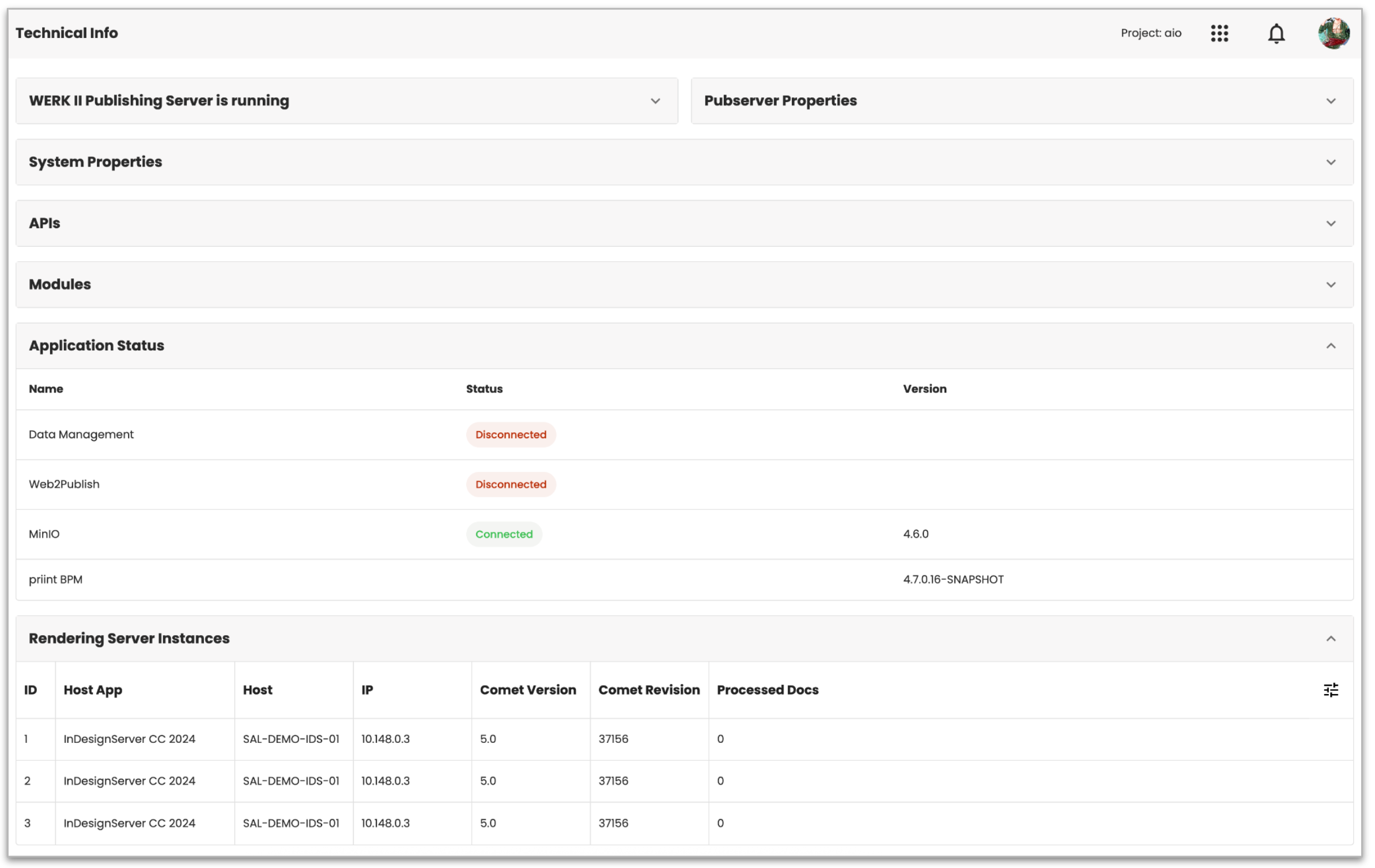
Picture shows Installed / active integrated applications and rendering server instance status
Technical Information
| Application | Version |
|---|---|
| Java | 21.0.7+6-LTS |
| Application Server | Payara Server 6.2025.9 (build 41) |
| Camunda | v7.20.0 |
| Repository (MinIO) | RELEASE.2024-03-15T01-07-19Z |