CUSTOM_DOCUMENTS Step
Overview
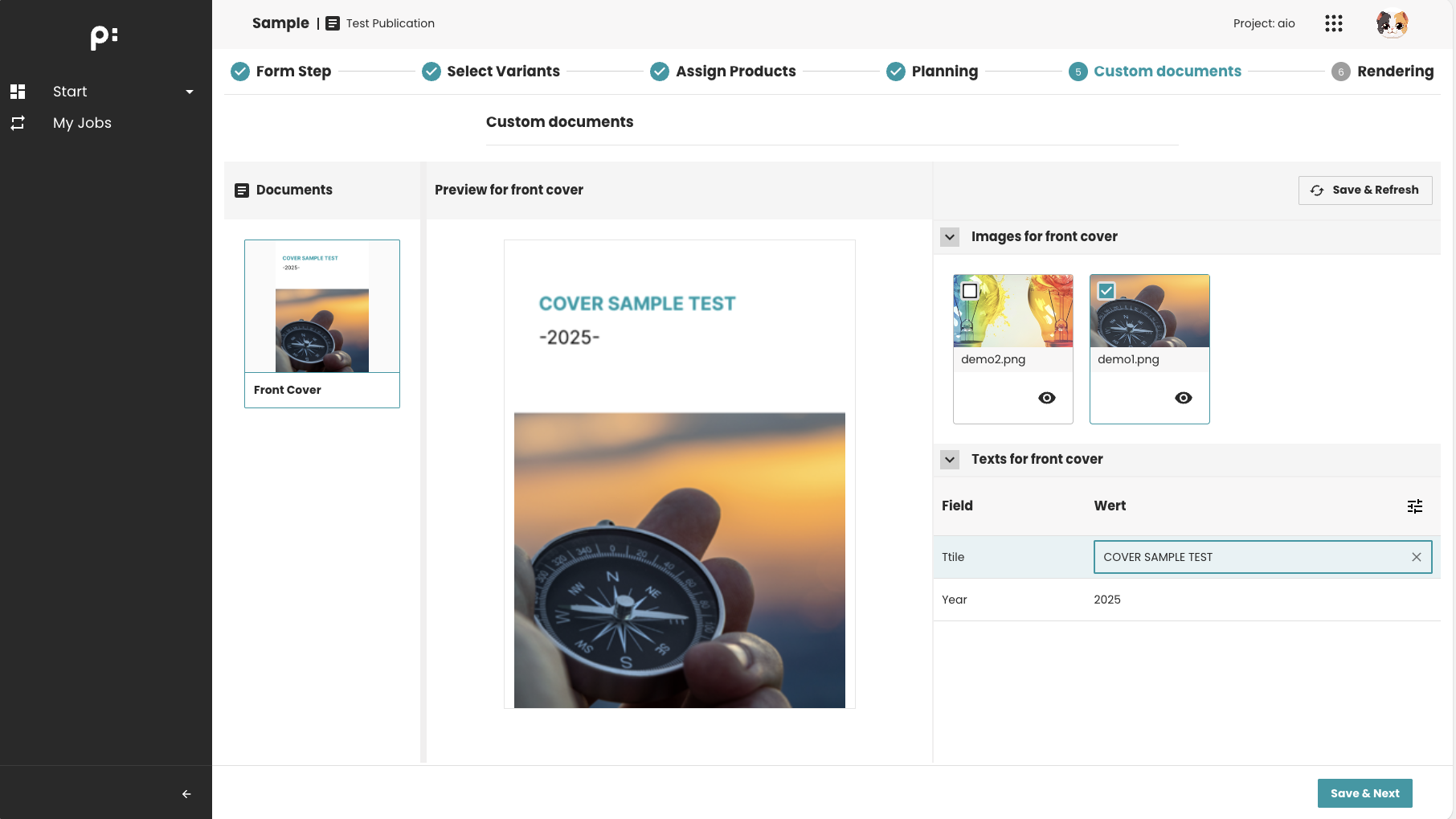
The CUSTOM_DOCUMENTS step allows users to customize document planning data (media asset and content metadata). It is used when a wizard requires users to adjust or refine document before continuing the workflow.
This step is especially useful for:
- Editing planning data for static documents
- Triggering a
Camundaprocess after saving
Key Features
- Allows updating planning data for selected document
- The content metadata could be changed is configurable in the ISON file
- Can trigger a
Camundaprocess when the change is saved - Supports automatic refresh of the document preview after process execution
Behavior Summary
Planning Data Editing
Users can:
- Select one or more document entries
- Edit planning data for those documents: select the media assets or update the content metadata
- Save changes to backend
Save & Refresh Logic
If a process is configured via:
<parameter id="process_def_key">...</parameter>
Then:
- Saving metadata triggers the
Camundaprocess - UI waits for process completion
- Document preview refreshes automatically once the process finishes
Completion Behavior
If required=true:
- Users must save valid planning data before continuing
- If a process runs afterward, completion depends on process success
If required=false:
- Users may skip this step without making changes
Sample Configuration
Minimal supported configuration:
<wizardSteps>
  <wizardStep id="custom_documents_step">
    <label>Custom Documents</label>
    <type>CUSTOM_DOCUMENTS</type>
    <status>custom_documents_status</status>
    <parameters>
      <parameter id="content_metadata">content_metadata_entity</parameter>
      <parameter id="process_def_key">custom_documents_process</parameter>
    </parameters>
  </wizardStep>
</wizardSteps>
When to Use This Step
Use the CUSTOM_DOCUMENTS step when the wizard needs:
- Modifying planning data of some static documents
- Preparing planning data before a PROCESS step
- Refreshing the document preview after planning data changes
Typical use cases:
- Updating content metadata/media asset on planning nodes
- Triggering a process to regenerate previews
Notes
content_metadatadefines which entity metadata is editable.process_def_keyenables the Save & Refresh behavior.